Public Packages
Explore the JavaScript ecosystem without an account, and publish packages from your own registry for anyone to install.

tl;dr
- Public packages are now GA, so you can publish and install your open source software you want to share with the ecosystem.
- Dedicated public package and account profiles pages allow you to browse and link directly without ever needing to sign in.
- These pages are backed by both vlt’s secure npm mirror, which automatically quarantines known malicious upstream packages, as well as private package registry instances.
- We’ve indexed mirror more than 4 million packages and 74 million package versions.
There are two parts to this release: public pages for packages from the npm ecosystem, and public access for packages you publish directly to vlt.io.
Exploring Public Package Pages
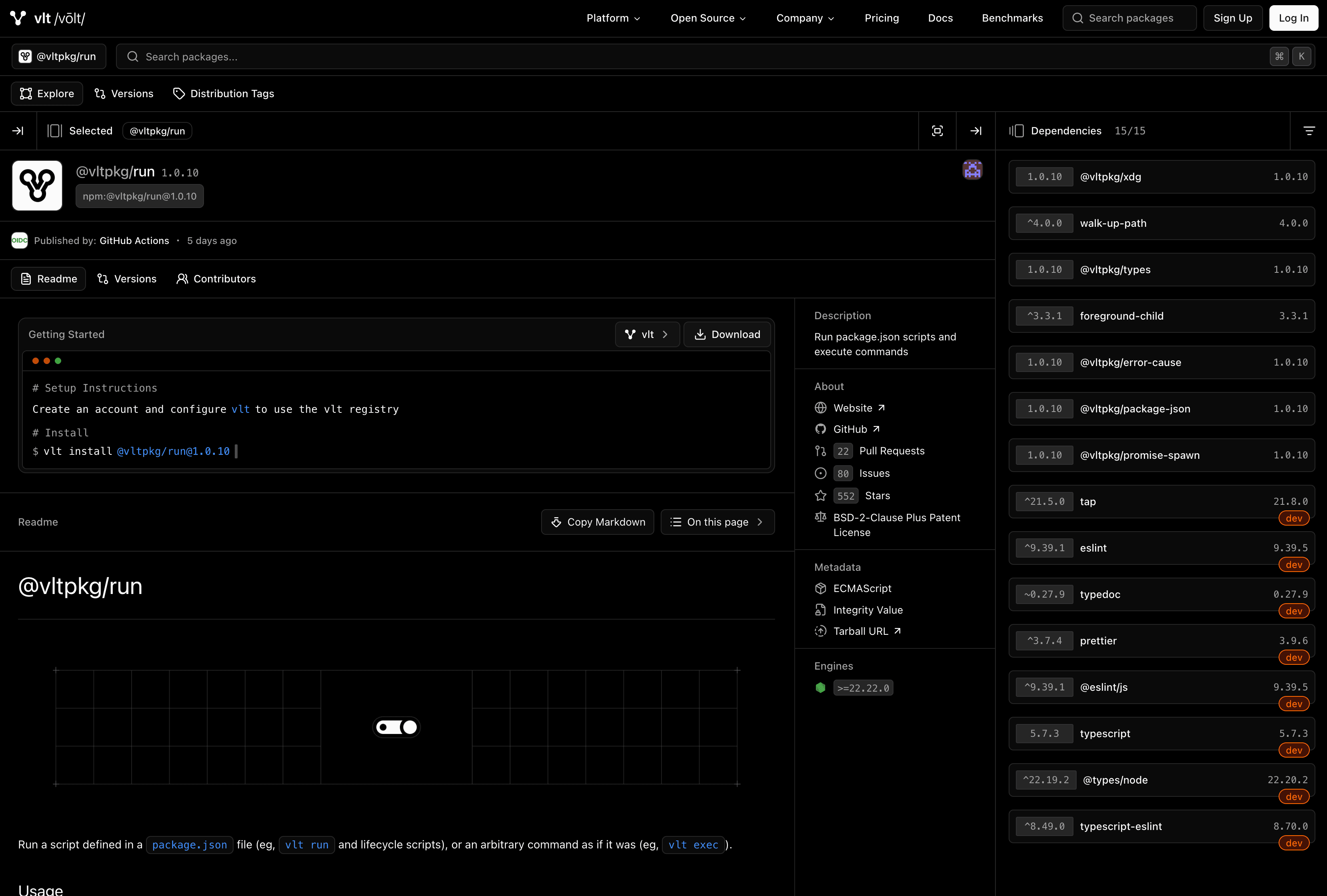
Package page of @vltpkg/run
Public package pages give you a single place to understand a package before you install it.
You can browse a package's README, inspect its version history, see which releases are attached to distribution tags, review contributors, explore its dependencies, and dig into the package metadata published to npm.
Because every package and version has its own URL, you can also deep-link directly to the exact package, version, or section you want to share.
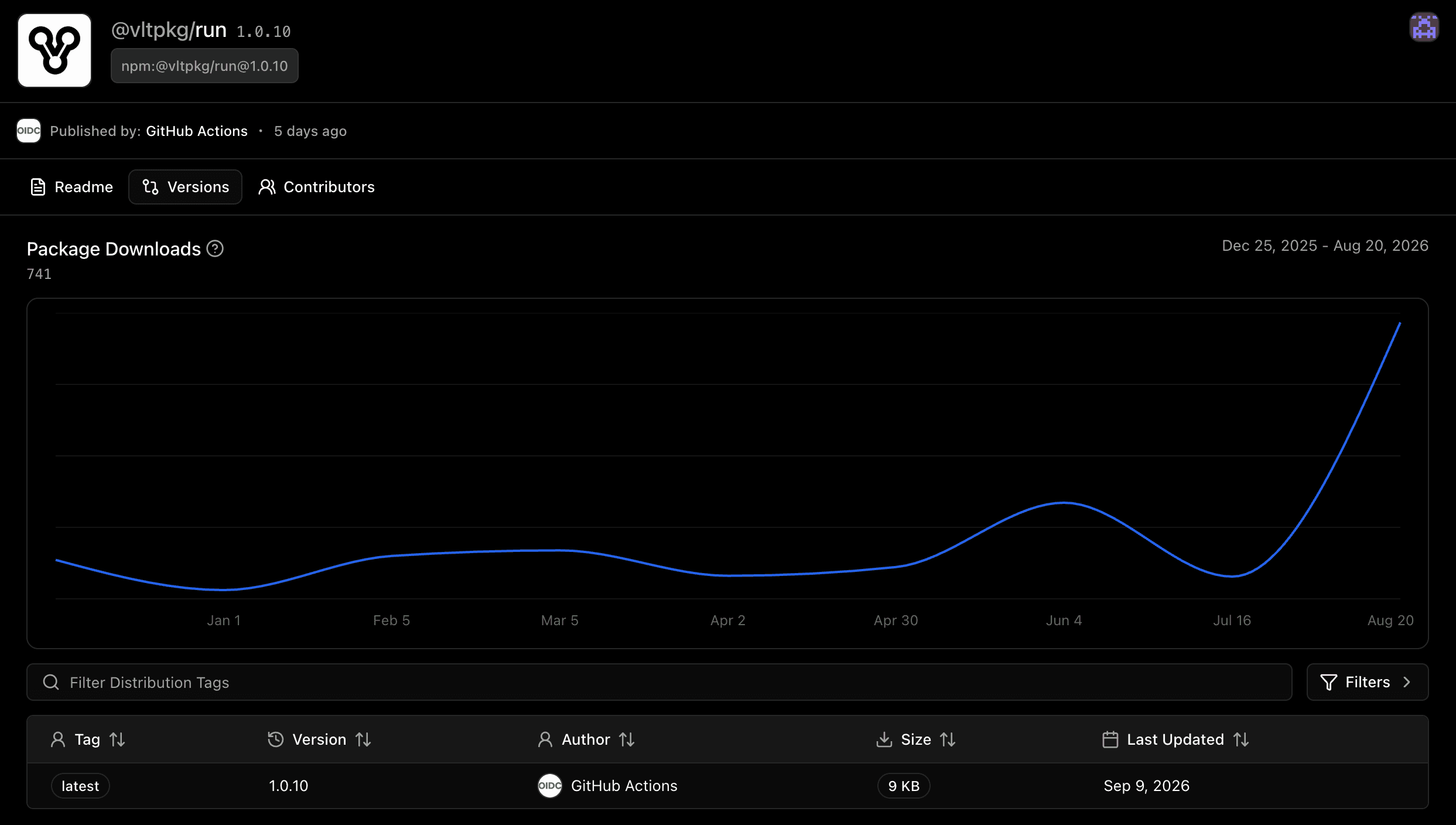
Version history of @vltpkg/run
Version history makes it easy to move between releases and see how a package has evolved over time. You can inspect older versions without leaving the package page, follow distribution tags such as latest, and jump directly into the metadata or dependencies for a specific release.
This becomes especially useful when debugging dependency changes, comparing releases, or linking someone to the exact version of a package you're discussing.
How Public Packages Work
Every vlt.io account comes with two registries:
- npm, your account’s secure mirror of the npm registry.
- main, where the packages you publish live.
Until now, everything in main was private to the members of your account. Public packages change that. When you publish a package as public, anyone can install it from your main registry, without an account and without a token. Everything else in main stays private, so you decide package by package what gets shared.
Throughout this post we’ll use an account called demo, so its main registry lives at https://registry.vlt.io/demo/main/ and its packages are published under the @demo scope. Swap in your own account name.
Consuming Public Packages
To install a public package, point its scope at the registry. That’s it. No login, no token, no auth required.
With npm, pnpm, bun, or any package manager that can read config from .npmrc:
ini
@demo:registry=https://registry.vlt.io/demo/main/With the vlt client, your vlt.json will look something like:
json
{
  "config": {
    "scoped-registries": {
      "@demo": "https://registry.vlt.io/demo/main/"
    }
  }
}
Then install with your preferred package manager:
sh
npm install @demo/my-packageIts worth noting that public packages are for sharing open source software you publish directly to vlt.io and access to mirror npm packages always requires auth.
Publishing Public Packages
With the vlt client:
sh
vlt publish --registry=https://registry.vlt.io/demo/main/ --access publicOr set the registry and access config in your project’s vlt.json and just run vlt publish.
Publishing works with all existing package managers. We've written detailed docs outlining the various nuances for each tool.
When you publish with a personal token, the registry will initial an MFA flow. Writes to your registry instances are a big deal, and we typically expect a human -in-the-loop.
If you prefer automating publishes or are publishing from a non-interactive CI environment, you can create a service token instead. Service tokens skip the MFA challenge, so you can publish from GitHub Actions or any other pipeline without a human-in-the-loop:
yaml
- run: vlt publish --access public
  env:
    VLT_TOKEN: ${{ secrets.VLT_TOKEN_CI }}
Changing a Package's Visibility
You don’t have to republish a package to change its visibity/accessibility. Navigating to the specific package page on vlt.io, head to its respective Settings tab, and there you'll find a Public Package configuration you may switch at any time.
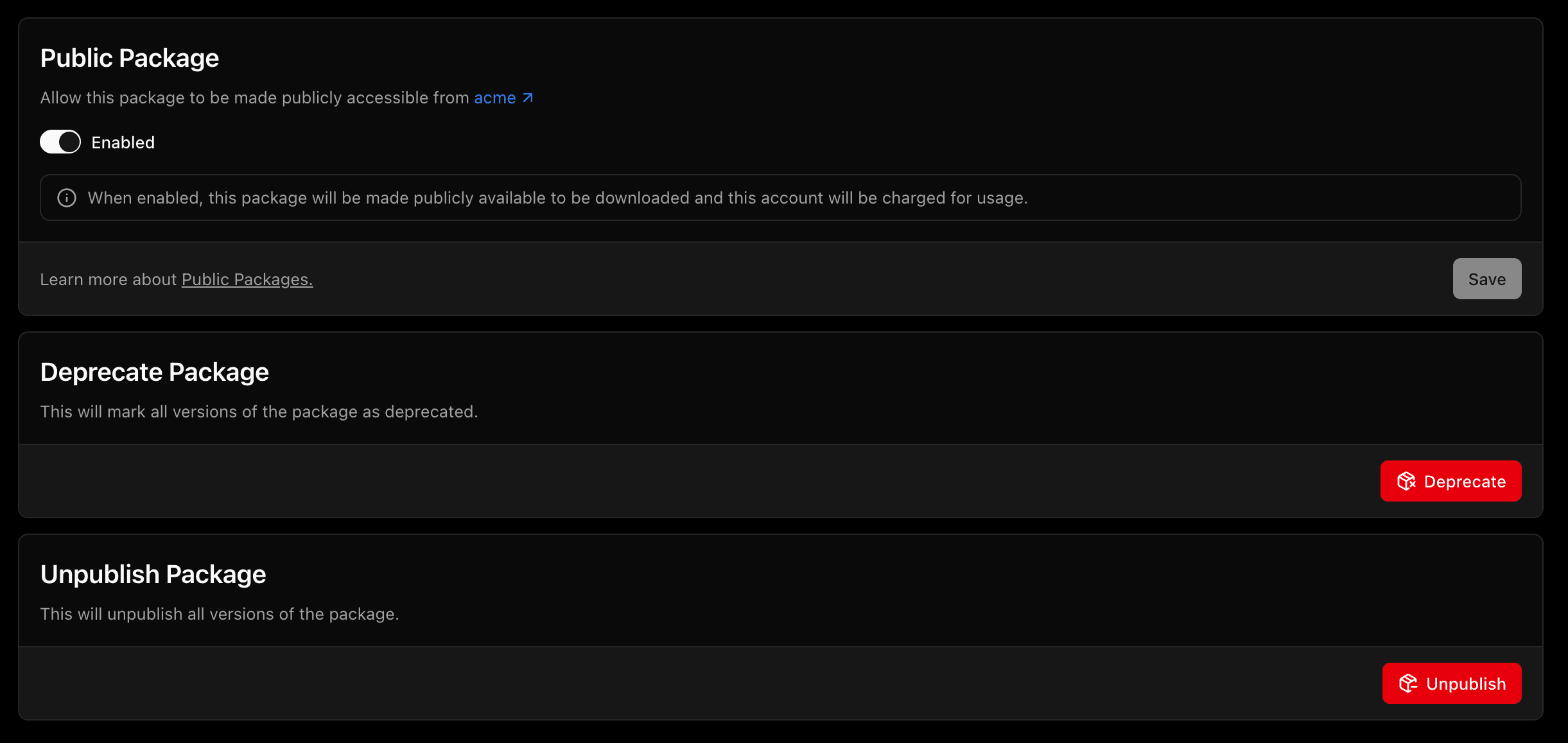
Package setting of the @acme/acme package
Your Public Profile
Every account on vlt.io comes with a public profile page, no setup required. It lives at vlt.io/registry/<account>, so the demo account’s profile lives at vlt.io/registry/demo.
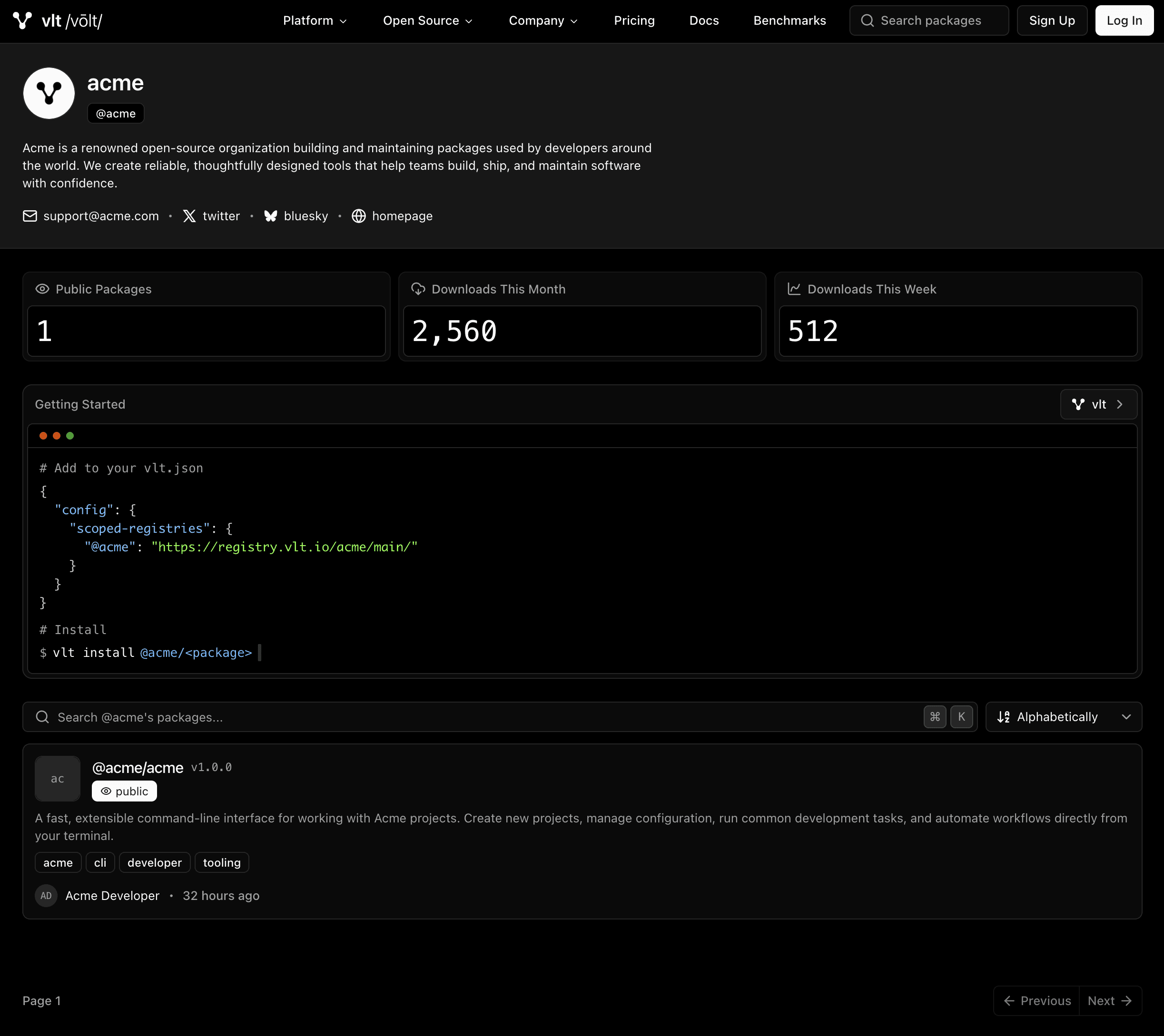
Profile of a demo account @acme
Your profile is the one link to share when someone asks what you’ve published. Visitors can search and sort through every package you’ve made public, and see how many times they’ve been downloaded this week and this month. Private packages never show up for them.
Each profile also includes a getting started snippet with the registry config and install command for the visitor’s preferred package manager, so going from finding a package to installing it takes a copy and a paste.
When you visit your own profile while signed in, you also see your private packages and a total package count, so you can check what’s public and what isn’t from one place.
What This Means For You
Public package pages let anyone explore the npm ecosystem on vlt.io. Public packages let anyone consume what you build.
If you maintain an open source library, an SDK for your customers, or shared tooling you’re comfortable making publicly available, you no longer need a second registry to make it available. Publish it to the same registry as your private packages, mark it public, and share your profile. Your consumers don’t need a vlt.io account, and they don’t need to switch package managers.
And since everything else in your registry stays private, sharing one package never means exposing the rest.