Ship JavaScript? Hang onto your lockfile
Pinning dependencies in package.json won't save you in a supply-chain attack — a committed lockfile does. Here's why, and how to install so it holds.

When it comes to Node and package publishing, package.json usually steals the show as the trailhead for a project's dependencies and lifecycle scripts.
Conventional wisdom says hand-pinning direct dependencies in package.json is the move during a supply-chain attack. It's less effective than you'd think.
The file that actually decides which versions land in node_modules is the lockfile. It's also the one most likely to be ignored, left uncommitted, or rm -rf'd the moment a build won't run locally.
Why package.json alone won't guarantee reproducible builds
The lockfile matters because the version strings in package.json are ranges, not fixed versions. They look like plain semantic versions, but npm's node-semver library layers range operators on top (^, ~, >=, <=), and each one marks a window the next resolve is free to move within.1
~ before a version allows new patch releases within the same minor version.
^ before a version allows new minor and patch releases within the same major version.
Below 1.0.0 the caret changes the rules: ^0.2.3 allows only patches (>=0.2.3 <0.3.0), and ^0.0.3 pins to exactly 0.0.3. Pre-1.0.0, every release counts as potentially breaking.
Say your package.json lists "express": "^4.21.0". That caret invites any newer 4.x release. But what decides which 4.x you actually get isn't package.json; it's whether a lockfile is present to pin the exact version you resolved before.
The first time you install a package, npm writes the range into package.json with a ^ by default, and records the version it actually resolved to in package-lock.json.
From here on out, the lockfile becomes the source of truth; as long as it's present, every npm install honors it and versions don't budge.
Your dependency graph only rebuilds when you:
- run npm update
- edit a version range in dependencies
- install a new dependency
- delete package-lock.json and run npm install
rm -rf your lockfile with extreme caution
Anyone who's endured working with a crusty legacy repo or a half-finished front-end migration knows the struggle: both versions running at once, the console full of noise, hot-reload dead. The build crashes, so you rm -rf node_modules && rm package-lock.json, smash Ctrl-C a few times, and reinstall to get your dev environment back.
But the moment the lockfile is gone (deleted locally, or never committed), your ^ ranges take over, and npm install grabs the newest in-range version of everything. That's the door that let malicious releases like the TanStack "Mini Shai-Hulud" bumps across @tanstack/* proliferate: a poisoned version of a package you trusted, with no lockfile to say "not that one."
Keep the lockfile, and that same install is inert: it pins the old, working version number, so the poisoned release is never requested. And if the registry serves back bytes that don't match the recorded integrity hash, the install will fail. The hash catches tampering with a given version; the pinned version number prevents installation of a malicious new release.
Caveat: this only guards the tree you already locked. Install or update a dependency during the incident window and you'll lock whatever's newest, poison included.
Which attacks a lockfile actually stops
Preserving your lockfile prevents some but not all supply-chain attacks, such as:
-
Installing a malicious version of a package you already trust. In Sept 2025, chalk and debug were hijacked after a maintainer's account (npm handle qix) was phished, and malicious releases shipped inside ranges consumers already allowed. The self-propagating Shai-Hulud worm spread the same way soon after. This is the attack the lockfile is built to stop: the pinned version won't budge onto the bad release, and its integrity hash wouldn't match anyway.
-
Dependency confusion. A public package published intentionally to outrank a private one with the same name. The lockfile helps marginally: it records the resolved source, so an established tree won't swing to the impostor. But a more robust approach would be to publish under a scope and binding that scope to your private registry in .npmrc.
CI is a final line of defense: a frozen install turns the lockfile into a gate that a hijacked pipeline can't slip a poisoned version past. These commands install exactly what the lockfile declares:
sh
npm ci
pnpm install --frozen-lockfile
yarn install --immutable
They'll refuse to re-resolve and fail loudly on version drift. Committing the lockfile also surfaces dependency changes in review and eases debugging.
The threat within: transitive dependencies
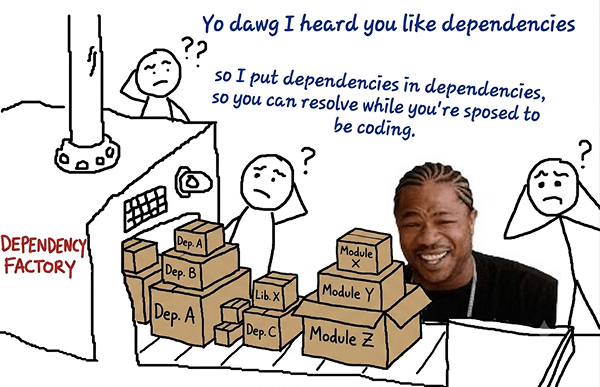
Here's where package.json won't help at all. Avoiding installation of compromised packages you named is only half the battle; those are your direct dependencies. It's the transitive dependencies that multiply the blast radius.
Transitive dependencies are the dependencies your dependencies depend on.
text
my-app
├── react@18.2.0              ← direct dependency
│   └── loose-envify@1.4.0    ← transitive (1 level deep - required by react)
│       └── js-tokens@4.0.0   ← transitive (2 levels deep - required by loose-envify)
└── typescript@5.3.0           ← direct dependency
They're absent from your package.json entirely (no line to pin, no range to tighten), but installed all the same. And they can run lifecycle scripts, which fire by default on any install, local or CI.2 npm 12 only just stopped that from happening automatically.
The lockfile is the only record of which transitive versions you trust: a flat map of the whole resolved dependency tree. It's what lets Dependabot, Renovate, and npm audit make sense of the dependencies that need updating. However, they only catch known-bad versions from an advisory database, not novel malware.
In npm, the top-level overrides field pins one version everywhere it appears. pnpm does the same, just relocated: pnpm.overrides in package.json through v10, pnpm-workspace.yaml from pnpm 11 on. Yarn calls its version resolutions. For finer control over resolution, there's vlt's graph modifiers.
If you do force a transitive version (say, to keep a known-bad release out), run an install afterward so the change lands in the lockfile. That's what makes it stick.
Different package managers, different lockfiles
package-lock.json is npm's file, and npm's alone. Switch package managers and the guarantee doesn't travel with you: each keeps its own lockfile, in its own format, and none read each other's.
- npm: package-lock.json (JSON). An exact version, resolved tarball URL, and SHA-512 integrity hash for every package in the tree.
- Yarn: yarn.lock. Classic (v1) maps each requested range to the version it resolved to, with a resolved URL and integrity checksum. Berry (v2+) keys entries by descriptor (protocols like npm:, workspace:, and patch:) and stores a checksum per resolution.
- pnpm: pnpm-lock.yaml (YAML). Records the whole resolved graph, down to peer-dependency-resolved variants, with an integrity hash per package; it's the map pnpm uses to symlink node_modules out of its content-addressable store.
The failure mode applies to manager-lockfile mismatches too. If you switch package managers mid-project, or run pnpm/yarn in a repo without the corresponding lockfile, the graph resolves from scratch, potentially exposing your codebase to a poisoned, in-range release.
Operationalize dependency updates
You might be wondering: "if the lockfile freezes everything, how does my project get updates?"
That's what Dependabot and Renovate are for: they track updates and advisories, opening PRs by CVE severity, one reviewable change at a time.
Scheduled, one-at-a-time PRs let you regression-test each dependency update without derailing your roadmap. Can't choose the tooling? Wire a CLI like vlt query :vulnerable or npm audit into CI to block builds that ship known-vulnerable versions.
sh
# fail the step if vulnerabilities moderate or above exist
vlt query ':vulnerable' --expect-results=0
npm audit --audit-level=moderate
pnpm audit --audit-level=moderate
Hang onto your lockfile
package.json will always get more airtime. It's the first place developers go to see run and build scripts, the project name, a team's intent. But it only records what you meant to install. The lockfile records the exact versions you'll actually get after your particular package manager resolves the dependency graph.
As Andrew Nesbitt observed in "Transitive Trust", the flourishing of open source projects was built on the trust that maintainers had in each other to keep the dependencies for their packages audited. By installing and using open source libraries, you're trusting that maintainers of direct and transitive dependencies audit their packages, and have secure CI for distribution. It's a tall order at the rate software is published and delivered today.
While more code and packages are shipped today with AI assistance, understanding how things work, how small acts compound into catastrophe, is still core to our work as software engineers.
So commit your lockfile. Install with npm ci / --frozen-lockfile / --immutable so CI can't drift out from under you. Let Dependabot or Renovate move updates forward one reviewable PR at a time.
Delete it, and you're trusting whatever the registry happens to be serving the moment you or CI runs an install. Keep it, and you're trusting a dependency tree you already vetted.
References
-
In mid-2013, npm added support for ^ in node-semver. About seven months later, npm 1.4.3 (Feb 2014) flipped the npm install default from ~ to ^. The rationale: if the semver contract were honored strictly (minor releases staying backward-compatible), ^ was a safer default than ~. It shipped in a minor npm release, and it was contentious. ↩
-
npm runs certain lifecycle scripts automatically at defined points: preinstall and postinstall run around npm install; prepare runs on a plain npm install and also before a package is packed or published; prepack runs before a tarball is packed (npm pack, npm publish, or installing a git dependency); and prepublishOnly runs only on npm publish. ↩